
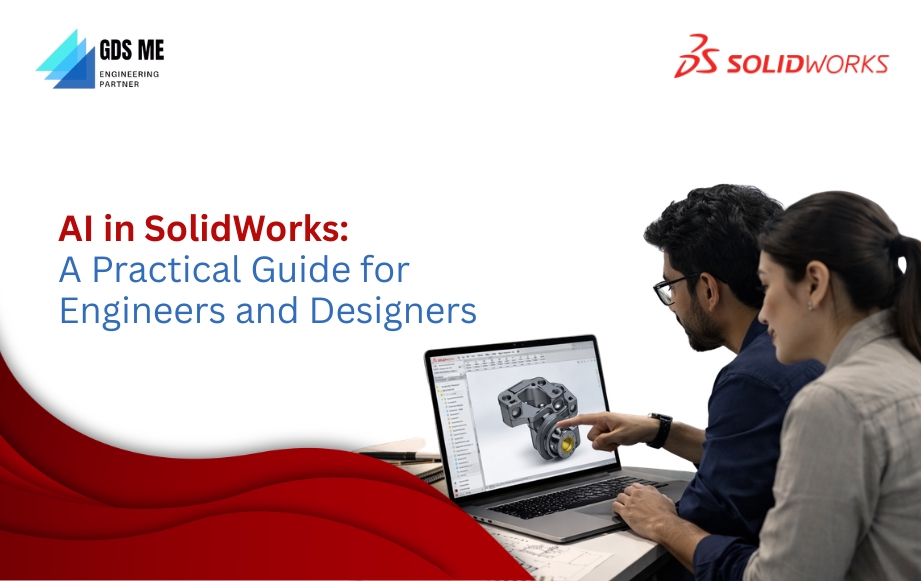
Design is no longer just about skill—it’s about how smart your tools are. And that’s where AI in SOLIDWORKS quietly changes the game.
Imagine cutting down design time without cutting corners. Or spotting errors before they even happen. Engineers and designers across industries are appreciating this convenient upgrade. AI is not replacing creativity—it’s sharpening it. It helps you explore better options, automate repetitive tasks, and make confident decisions faster.
If you’ve been working the traditional way, this might feel like a big leap. But it’s actually a smoother transition than you think.
This is where Generative Design Solutions Middle East steps in. As one of the most trusted SOLIDWORKS resellers in the GCC, they don’t just provide software—they help you understand how to use it truly.
Curious how AI fits into your everyday design work? You’re about to see what’s possible.
AI in SOLIDWORKS : Where Design Starts Thinking Ahead
There was a time when design meant doing everything the long way. Repeating steps. Double-checking every small detail. Now, AI in SOLIDWORKS is slowly changing that rhythm.
It works in the background—suggesting, correcting, and helping you move faster without feeling rushed. You still make the decisions. It just clears the clutter around them.
With regular updates, the software keeps evolving, so you’re not stuck with outdated methods. Tools like the Design Assistant feel less like features and more like quiet support when you need it most.
If you’ve been checking the SOLIDWORKS software price or thinking about a SOLIDWORKS software download, this shift might be exactly what makes the difference.
Key Features of AI in SOLIDWORKS
AI in SOLIDWORKS isn’t loud. It doesn’t try to take over your design. It just sits in the background and makes your everyday work feel lighter.
Here’s how that actually shows up when you’re designing:
Guided Problem Solving (Xpert Tools)
At times, you are fed up with figuring everything out alone. Guided problem-solving features, such as SketchXpert, MateXpert, and FilletXpert, step in like an experienced friend when something breaks or doesn’t make sense. They don’t just point out errors—they guide you toward fixing them.
Smarter Assemblies (Auto Repair Mates & Smart Tools)
One small change in an assembly can mess up everything.
That’s where Auto Repair Mates quietly fixes broken references. Add to that smart tools that place parts correctly, and suddenly assembly work feels far less frustrating.
Faster Placement & Recognition (Fastener Recognition)
Instead of manually adjusting every nut or bolt, Fastener Recognition understands what you’re inserting and places it where it should be. It’s quick. And surprisingly accurate.
Real-Time Support (Virtual Companions – AURA / LEO)
This is where things feel new.
Virtual Companions (AURA/LEO) don’t just answer questions—they help you troubleshoot, guide decisions, and even assist with drawing creation. You stay in your flow instead of searching for help elsewhere.
Predictive Workflows (Predictive Selection & Command Suggestions)
After a while, you’ll notice something interesting—the software starts to “get” you.
With Predictive Selection and command suggestions, it anticipates your next move. Less searching. Less clicking. More doing.
Design + Cloud Intelligence
Some AI features work locally, while others connect to the cloud for deeper capabilities—like generating drawing setups or analyzing issues. This mix keeps things fast while still giving you access to advanced tools when needed.
Practical AI, Not Overhyped
There’s no magic button here. Your skills stay on top. Here, the AI handles the repetitive setup, highlights issues early, and gives you a head start. But the real design thinking? That’s still yours.
Are you planning to buy SOLIDWORKS ? Choosing the right SOLIDWORKS reseller matters more than you think! Comparing SOLIDWORKS licenses is also quite important. These features truly define your experience—not just the software itself, but how effortlessly you can work with it.
Benefits of AI in SOLIDWORKS: What You’ll Actually Feel While Working
All these features sound impressive on paper.
But what really matters is this—how does it change your day?
Not in theory.
But when you’re sitting in front of your screen, working on a real design.
Let’s walk through that.
1. You Learn Faster—Without Feeling Lost
Starting something new usually comes with a bit of friction.
Too many tools. Too many options. Too many “where do I click?” moments. AI softens that. With assistants like AURA and smart command suggestions, you’re not constantly guessing your next step. The software gently nudges you in the right direction. You start picking up workflows naturally.
2. Your Work Gets Done, Faster Than You Expect
There’s a certain kind of fatigue that comes from repetition.
Fixing small errors, repeating the same steps, and adjusting things again and again. AI takes a big chunk of that away. It cleans up sketches, suggests tools, and fixes issues before they grow.
So instead of feeling stuck in the process, you keep moving.
You’ll notice it in small ways first— less clicking, fewer interruptions.
Then suddenly, you’re finishing tasks earlier than usual.
3. You Start Exploring Ideas You Would’ve Skipped Before
There are always those “what if” ideas. But in traditional workflows, you often avoid them because they take too long to test. Those changes with generative design and AI-assisted modelling. You can try multiple variations without rebuilding everything from zero.
4. Fewer Mistakes. Less Rework. More Confidence
One small error in design can snowball later. That’s the part most people don’t enjoy—going back and fixing things under pressure.
AI reduces that stress. So when you move to the next stage—simulation, manufacturing, or sharing—you feel more sure of what you’ve built.
5. It Actually Impacts Your Output—and Your ROI
This isn’t just about convenience. When your workflow becomes faster and cleaner,
- Projects move quicker
- Teams collaborate better
- Revisions reduce
- Costs stay under control
6. You Stay Relevant Without Chasing Every Trend
The design world is shifting. Quietly, but steadily. Companies are looking for people who can work smart—not just hard. When you start using AI within SOLIDWORKS, you’re not just learning a feature. You’re adapting to how modern design actually works now. That matters more than you think.
Bringing It All Together
AI in SOLIDWORKS doesn’t come in and flip everything upside down.
It slips into your workflow, removes friction, and gives you just enough support to do better work, faster.
Best SOLIDWORKS Reseller in GCC – GDSME (Generative Design Solutions Middle East)
By now, you’ve seen what AI in SOLIDWORKS can do.
But here’s the part most people overlook—
The software is only as good as the way you’re introduced to it.
That’s where Generative Design Solutions Middle East (GDSME) quietly makes a difference. They don’t just help you access SOLIDWORKS.
They help you understand how AI fits into your everyday workflow—from your first model to advanced design decisions.
So if you’ve been comparing SOLIDWORKS software prices or thinking about a SOLIDWORKS software download, this is where things start to feel less technical and more practical.
Why Choose GDSME?
AI in SOLIDWORKS works best when you actually know how to use it.
Not just where it is—but when to trust it, and when to take control.
That’s the kind of clarity GDSME brings in.
- AI-Focused Onboarding
- Smarter Decision-Making from Day One
- Real Support When AI Meets Real Problems
- Exciting Portfolio
- Skilled Team
- Updated, high-quality solutions
- 24 x 7 Support
- And more!
Why SOLIDWORKS 3D CAD Feels Different Today?
Earlier, CAD tools were about what you could do manually.
Now?
It’s about how much the system can support your thinking.
With AI integrated into SOLIDWORKS 3D CAD:
- You catch errors earlier—before they grow
- You generate drawings without starting from scratch
- You optimize designs for manufacturing automatically
- You reduce dependency on heavy hardware with smarter processing
It’s still your design.
But now, it moves faster—with fewer interruptions.
SOLIDWORKS brings that AI shift into everyday work—quietly, consistently, and without overcomplicating things.
And when you combine that with the right SOLIDWORKS reseller, the difference becomes clear from the very beginning.
You don’t just learn features.
You learn how to work smarter with them.
FAQs
A. Actually, the opposite. AI features like command prediction and virtual assistants make navigation easier, especially for beginners.
A. It depends on your workflow. Basic design, collaboration, or simulation—AI plays a different role in each sector. GDSME can help you match the right package.
A. It’s better to understand what you’ll actually use first. Pricing makes more sense when you know how AI will support your work.
Are you planning to buy SOLIDWORKS? Don’t just look at features.
See how it works for your kind of projects.